The short answer. Panigrahana Weddings, the studio behind 500+ weddings since 2018, gives every couple a private web portal bringing their wedding plans together: the planning timeline, the decor deck, the show flow, published meeting notes and a payment schedule itemised by vendor. You get a weekly video check-in with your planning team, at a time set for your time zone, and weekly updates and published meeting notes stay in your portal between calls. Your portal lists the named people on your wedding and what each one handles. It is included in the flat planning fee quoted for the agreed scope and there is nothing extra to buy.
Follow the plan.
Across time zones.
Your wedding, wherever you are
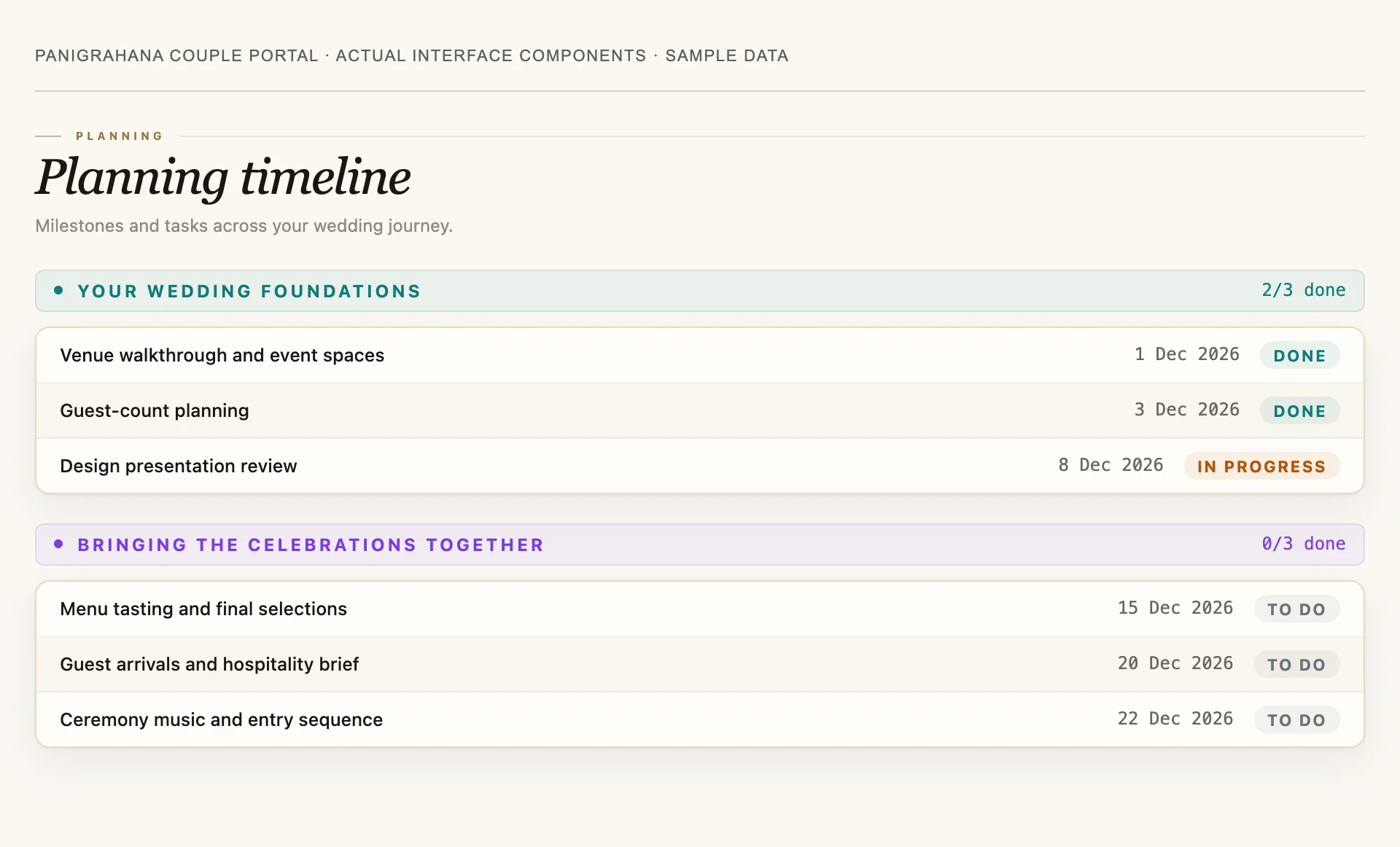
Your private Panigrahana portal keeps the planning timeline, decor presentation, meeting notes, vendor progress and payment schedule together. Review the latest updates on your own time, then bring focused questions to your next planning call.
Your named planning team remains part of the process. Open the portal on your phone or laptop between calls.
Explore the portal screens
How can we track our wedding planning from abroad?
Panigrahana couples use a private web portal to view the planning timeline, published meeting notes, decor presentation, vendor progress and payment schedule. It gives you a shared reference between planning calls, wherever you live. Sections appear as your team adds the relevant information.
Is the Panigrahana couple portal a wedding planning app we must install?
No, the Panigrahana couple portal is a private web portal built by our own team and included in the planning fee, so there is nothing to install (founder-confirmed wording, 30 October 2026).
Explore an interactive sample.
This interactive demonstration uses sample wedding data. Click through the sections to explore how the information fits together. The screenshots above show the current portal interface with sample data; your private portal displays the sections relevant to your celebration.
Show flow
50 segments across 3 days
| 07:00 | Reporting time for the team and dholLotus entrance | |
| 08:00 | Both families arrive at the venueMain portico | |
| 08:45 | Bridal make-up for pooja and haldi beginsBridal room | 2 hrs |
| 09:45 | Couple portraitsBanyan lawn | 45 mins |
| 10:30 | PoojaTemple | |
| 11:00 | Haldi ceremonyHaldi area by the pool | 90 mins |
| 12:30 | LunchNext to bamboo lawn | till 15:30 |
| 13:00 | Rain danceBehind haldi area | 30 mins |
| 16:00 | Sangeet rehearsal — both sidesBallroom | 1 hr |
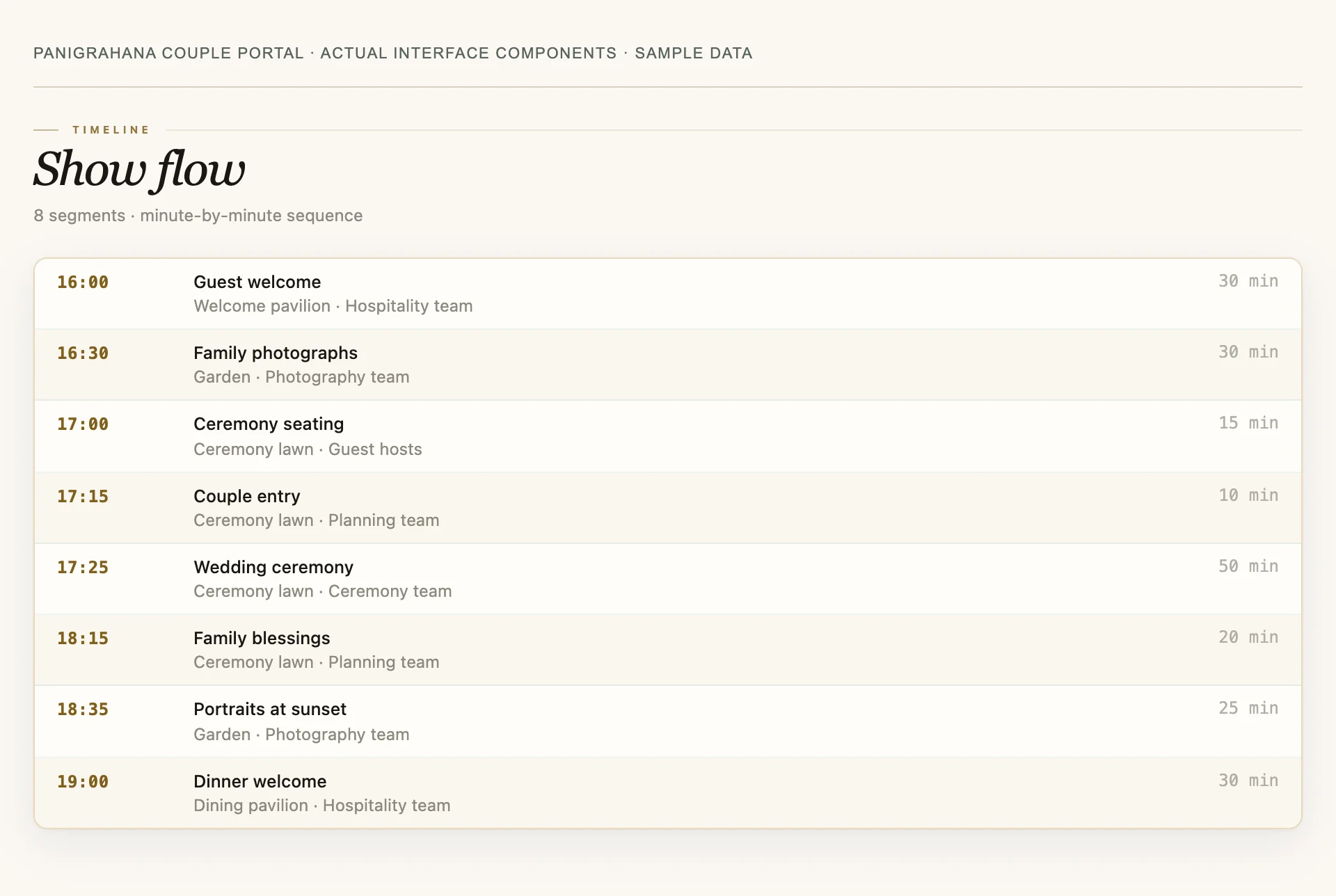
Every segment carries a time, a place and an owner. This is the document the production team runs the day from, and the couple can read it ahead of the day.
What it took
The true scale of the day, in the numbers we kept while making it.
One tap saves this as an image sized for a story. It is the couple’s to post, send to the family group, or keep.
Payment schedule
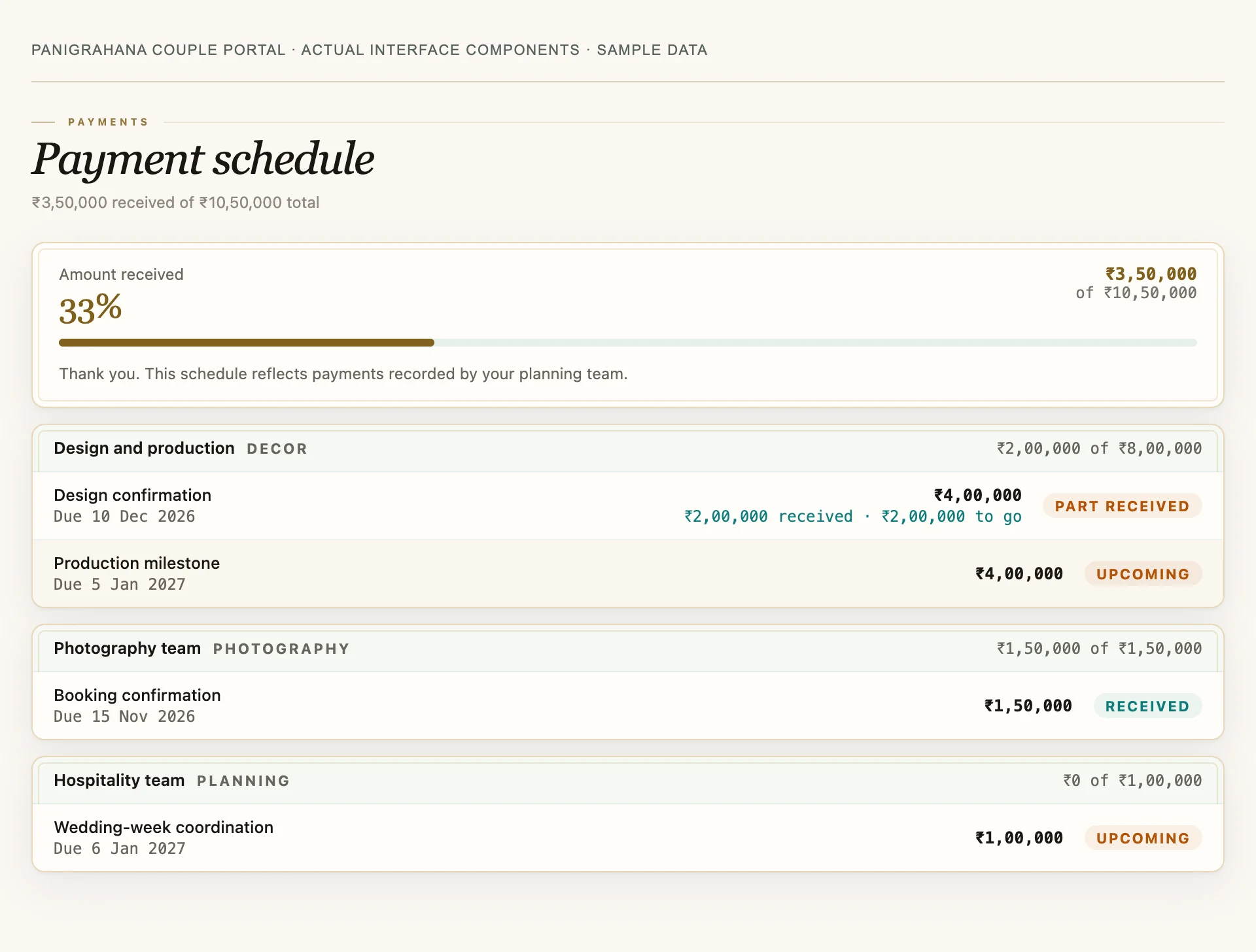
Each payment is recorded by your planning team, with its due date and paid date.
| Panigrahana client | ||
| Onboarding feeDue 26 Mar · paid 26 Mar | ₹51,000 | Received |
| InstallmentDue 15 Jun · paid 10 Jun | ₹2,36,000 | Received |
| InstallmentDue 25 Jun | ₹2,36,000 | Due |
| Photography vendor | ||
| AdvanceDue 11 Jul · paid 27 May | ₹3,00,000 | Received |
| Sound & DJ vendor | ||
| Full settlementDue 10 Feb | ₹24,000 | Due |
Itemised per vendor, not a single lump sum. The couple sees what was quoted, what was due, what was paid and on which date — including money that goes to vendors rather than to us.
The named people on your wedding
Not a shared inbox. Each role is a person the couple can reach.
The ceremony, in order, in plain language
Written so a guest who has never attended one can follow it.
| 1 | MehendiHenna applied to the bride’s hands and feet. Music, no formality. |
| 2 | HaldiTurmeric paste applied by family. Wear something you do not mind staining. |
| 3 | BaraatThe groom’s procession arrives. Guests dance in; it takes as long as it takes. |
| 4 | JaimalaThe couple exchange garlands. |
| 5 | SaptapadiSeven steps taken together. This is the moment the marriage is made. |
Regional and community practice differs a great deal — a Nair wedding has no sacred fire at all. The portal carries the version that matches the couple’s own tradition. The full ritual glossary is here.
Sample portal. The couple, the date and every figure above are invented for this demonstration — no real client’s wedding, guest list or payment data appears anywhere on this page.
What lives inside it — the planning workspace
A wedding is not one project. It is a design project, a logistics project, a guest-relations project and a finance project running at once, and they normally live in different places — which is why couples end up as the messenger between their own vendors. The portal puts all four in one URL. The sections below show what it can hold; yours displays the ones that apply to your wedding, as your team adds them.
Why we built this — the honest version
Two problems, and neither is glamorous.
The first is that couples were being asked to hold the plan in their heads. A wedding involves a dozen vendors and hundreds of decisions, and in the normal arrangement the couple is the only person who has seen all of it. They become the router: forwarding the florist’s question to the venue, remembering what was agreed on a call in April, discovering in June that two vendors assumed different things. That is not a service, it is unpaid project management, and it is why people describe planning a wedding as exhausting rather than exciting.
The second is money. About 300 of our 500+ weddings have been for couples living abroad, which means the person paying is frequently 8,000 miles from the person spending. “How do I know the planner will not disappear with my deposit” deserves a better answer than reassurance. The payment schedule is that answer: each amount, its due date and its paid date, itemised by vendor as recorded by your planning team, visible without asking anyone.
How this compares, plainly
| What a couple usually gets | What the portal gives |
|---|---|
| A WhatsApp group per vendor | One thread, and a written record of what was decided |
| A decor deck emailed once, then lost | The live deck, in the portal, updated as it changes |
| A lump-sum invoice | A per-vendor ledger with due and paid dates |
| A timeline shared the night before | A timed show flow you can read ahead of the day |
| “Let me check and get back to you” | Named people, each owning a defined part |
We are describing our own product here, not grading anyone else’s. Plenty of planners run beautiful weddings on WhatsApp and a spreadsheet.
What our records show so far, across all couples and not only those abroad: our team wrote meeting notes a median of 1 day after the meeting (192 notes on 80 weddings, 1 June to 29 October 2026), and 52 of 67 couple-side portals were opened again in a second calendar week (29 August to 30 October 2026). Portal visits count any opening without a staff login, so family are included. Checked 31 October 2026.
Planning from another country? See how the plan runs, step by step, or start at Planning from abroad.
Is the Panigrahana couple portal a wedding planning app we must install?
No, the Panigrahana couple portal is a private web portal built by our own team and included in the planning fee, so there is nothing to install (founder-confirmed wording, 30 October 2026).
It opens in a browser on your phone or laptop and holds the planning timeline, decor presentation, published meeting notes and a payment schedule itemised by vendor. Any planning tool, free or paid, is only as current as the person updating it. If you plan without a team, name one person to update yours and fix a day each week. If you are comparing planners, ask who keeps their tool current.
Source: Panigrahana founder, couple portal, confirmed .
Before you sign, read how payments are scheduled in a planning contract. After you sign, each one shows up here.